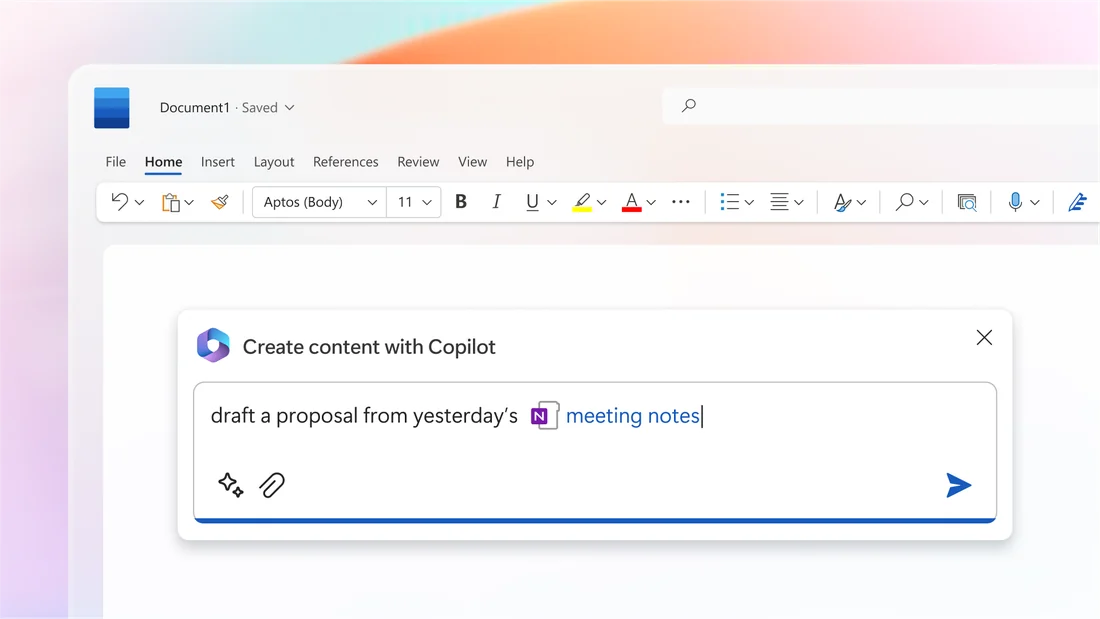
The writer's problem
A Word user deciding whether to turn on a new generative drafting assistant needs to know whether it replaces the program's decades-old spelling, grammar and Editor features or simply sits alongside them. Microsoft's own launch announcement and its current support documentation are the two places that answer that question directly.
What the documents show
The Official Microsoft Blog post dated 16 March 2023 describes Copilot in Word as a way to jump-start drafting so a writer never starts from a blank page, giving a first draft to edit and iterate on, and states plainly that Copilot will sometimes be right and other times usefully wrong, adding that the user is always in control as the author, prompting Copilot to shorten, rewrite or give feedback. As retrieved on 16 September 2026, the current support page on drafting with Copilot in Word describes the same capability in more procedural terms: creating a first draft from a request, prompt, outline, notes or reference files, inserting new sections or tables into an existing document, and an edit-in-place rewriting function, alongside an explicit instruction to review and verify details, especially facts, numbers, citations, names and policy statements. The support page also states the feature requires an eligible Microsoft 365 subscription and Copilot license and that it is rolling out gradually, which are Microsoft's own claims about current access, not a statement of universal availability.
The editorial choice
The announcement's own phrase, usefully wrong, and the support page's verification instruction describe a tool positioned as a drafting accelerator added to Word rather than a replacement for its existing checking features. An editorial reading of both documents together suggests treating a Copilot-drafted section the way an editor would treat a first pass from a junior collaborator: useful for structure and momentum, but subject to the same fact and citation check any unverified draft receives before it moves further through a publishing process.
What stays with the author
Both documents place responsibility explicitly with the person using the tool. The announcement names the user as the author driving Copilot's output, and the support page's verification instruction assigns fact-checking to that same person rather than to the software. Neither source describes a retained marker distinguishing Copilot-generated text from typed text once a draft is accepted into the document, so a downstream reader or collaborator has no built-in way, described in these pages, to see which parts passed through the assistant.
- Which sections of a draft came from a prompt and which were typed, once editing is finished?
- Have the facts, names and citations in an accepted section actually been checked against a source?
- Does the subscription and license in use actually include the version of Copilot these pages describe?
Microsoft's own materials describe Copilot in Word as an accelerant layered onto existing authorship, not a substitute for it, and the verification step both documents assign to the user is the part of that description worth keeping in view.
Follow the source.
Announces Copilot in Word, dated 16 March 2023, and frames it as an editable first draft under the user's control.
Source date: 16 Mar 2023 · Retrieved: 16 Sept 2026
Describes current drafting, content-insertion and rewriting functions and the stated verification requirement.
Source date: Not established · Retrieved: 16 Sept 2026
Site publication is not established by an event date. Original record ID: 0030-bf-036. This local design review does not change its editorial status.